
Brose: maintenance and calibration
The E-14 2.0 is built for a long life and high efficiency, and needs very little attention. This page shows what to do if something goes wrong, where to find the serial number, and how to calibrate the shifting with a Brose drive.
If something is wrong
Section titled “If something is wrong”If you have a problem with the E-14, bring it to us and we will help track it down: book an appointment. For a quick, precise diagnosis a diagnostic report is made, listing any faults present and the components fitted. What to look out for and what the error codes mean: error codes.
When you bring it in, have these details to hand:
- the Brose drive unit type, number of batteries and display version;
- the bike’s type and make;
- the E-14 2.0’s serial number and, if available, the DC/DC-DS Converter’s;
- the SPEEDHUB’s serial number;
- any error codes shown on the display;
- a short description of the fault.
Serial number and software version
Section titled “Serial number and software version”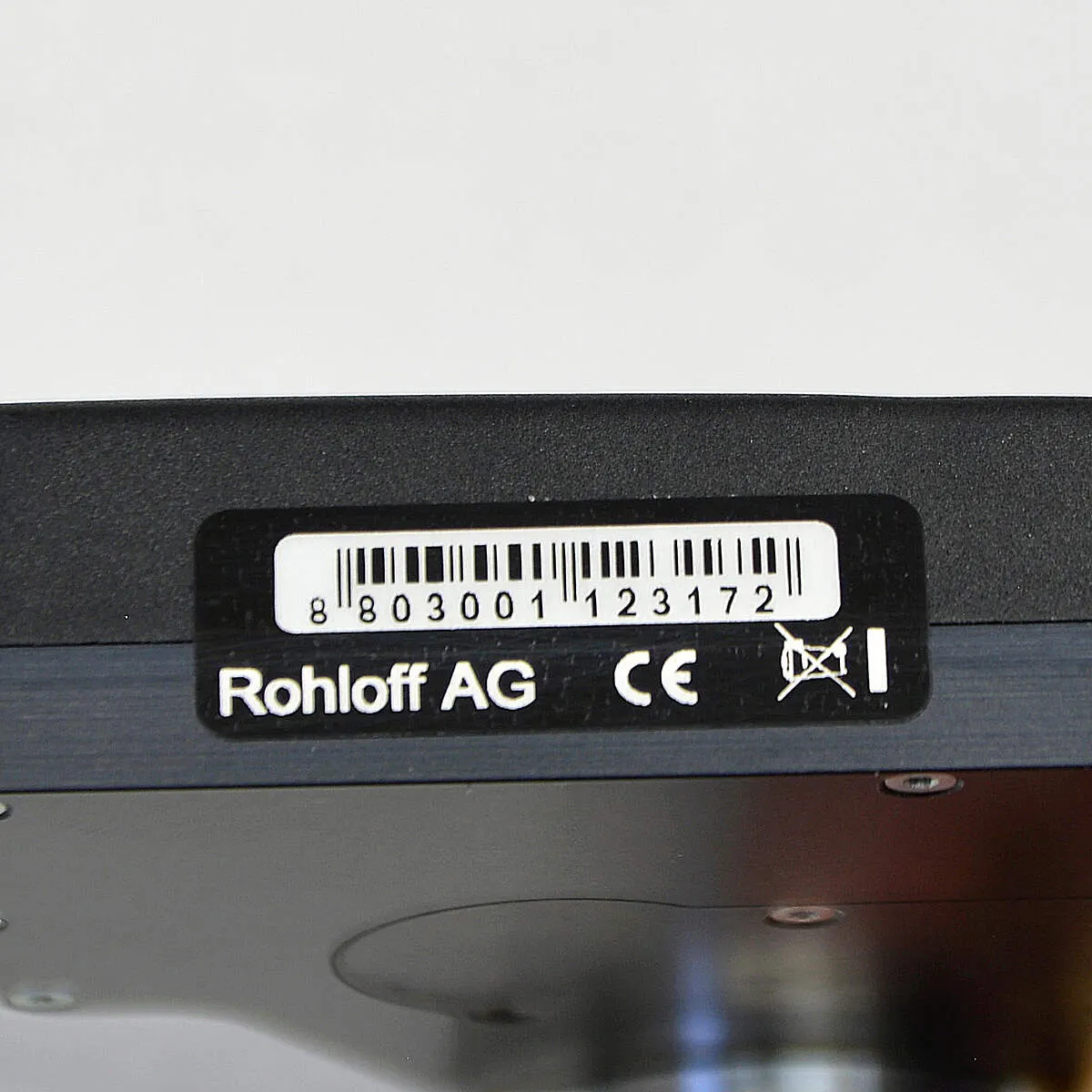
Every E-14 shift unit has its own serial number, on the underside of the shift unit. You may need it for warranty claims, software updates and feature upgrades. It is not the SPEEDHUB’s serial number — do not use it to register the hub.
The E-14 2.0 app shows the shift unit’s software version; it is also where you update the firmware and read the error memory: app and firmware.
Calibration
Section titled “Calibration”The shift unit and SPEEDHUB come synchronised, so calibration is not normally needed. If you do have shifting problems — not every gear engages, for example — calibration brings the two back into step. There are three ways: with the Trigger (below), in the E-14 2.0 app (app and firmware), or by hand (manual calibration).
In automatic calibration, the system finds the SPEEDHUB’s two end positions — gear 1 and gear 14 — by itself, then confirms and saves them.
Automatic calibration with the Trigger
Section titled “Automatic calibration with the Trigger”-
Switch the Brose system off.
-
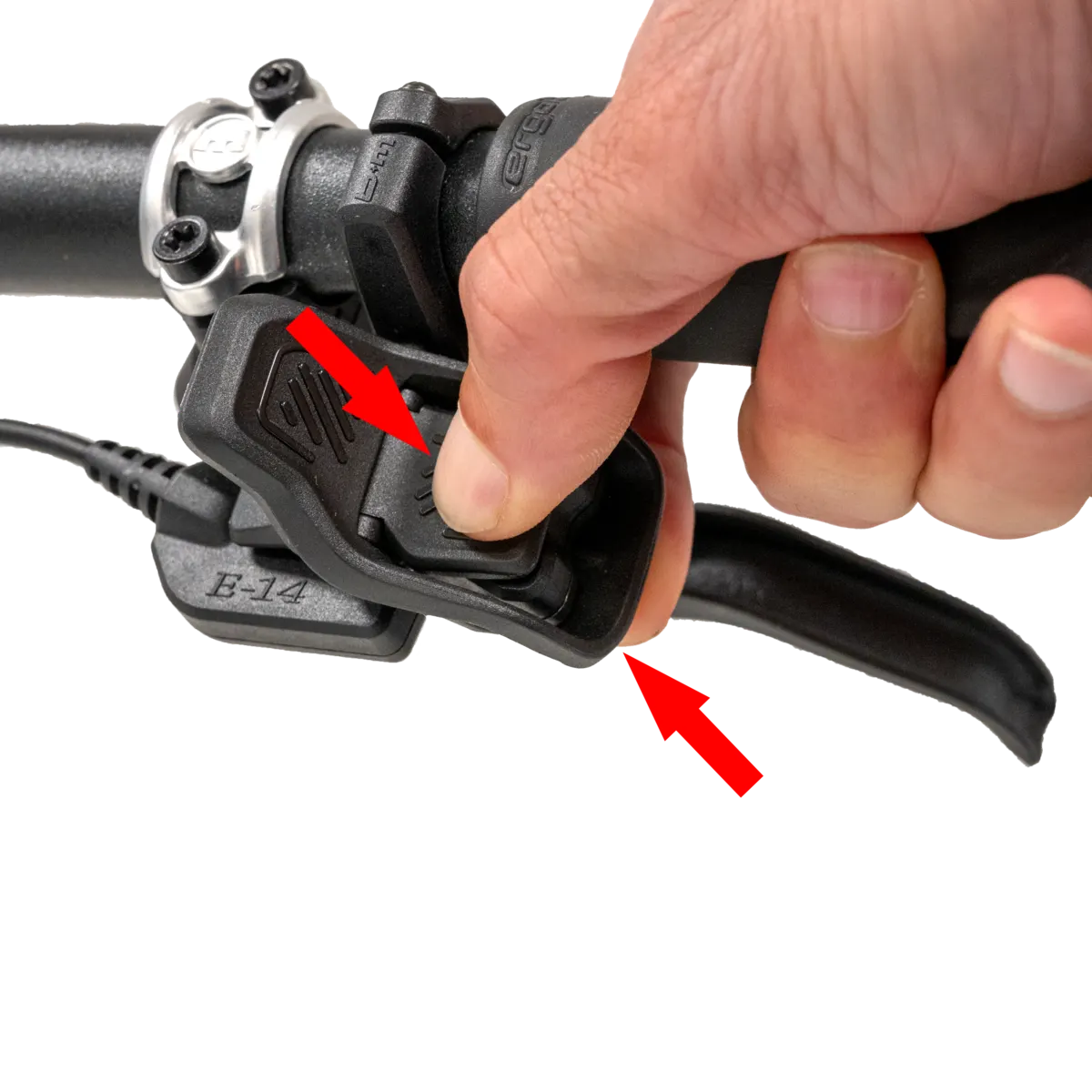
Press both Trigger levers (+ and −) at once and hold them.
-
Switch the Brose system on, still holding both levers, until the shift unit starts shifting (about 5 seconds).
-
As soon as calibration starts, let go of the levers.
-
Wait until the shift unit stops shifting. It finishes with a sound:
- 3 short beeps — calibration succeeded;
- one long beep — it failed.
-
Restart the Brose system — calibration is done.
If automatic calibration fails repeatedly, do a manual calibration or bring the bike to us.
Frequently asked questions
- What does the beep after calibrating the E-14 mean?
- Three short beeps: calibration succeeded. One long beep: it failed — try again, and if it keeps failing, do a manual calibration or bring the bike to us.