
App and firmware
The Rohloff E-14 2.0 app is for the E-14 2.0 on the Bosch Smart System (BES3) and the Direct Shifting version. With it you set the starting gear, Multi-Shift and button layout (Shifting functions and settings), calibrate, update the firmware and read the fault memory (E-14 error codes). The app also holds the full manual.
Download: Android (Google Play) · iOS (App Store)
E-14 (1.0) systems (Bosch BES2, Panasonic FIT1) are not handled by this app, but by the system’s display and the Classic app: E-14 (1.0) — until 2023.
Pairing
Section titled “Pairing”- Switch Bluetooth on on your phone and give the app the permissions it asks for.
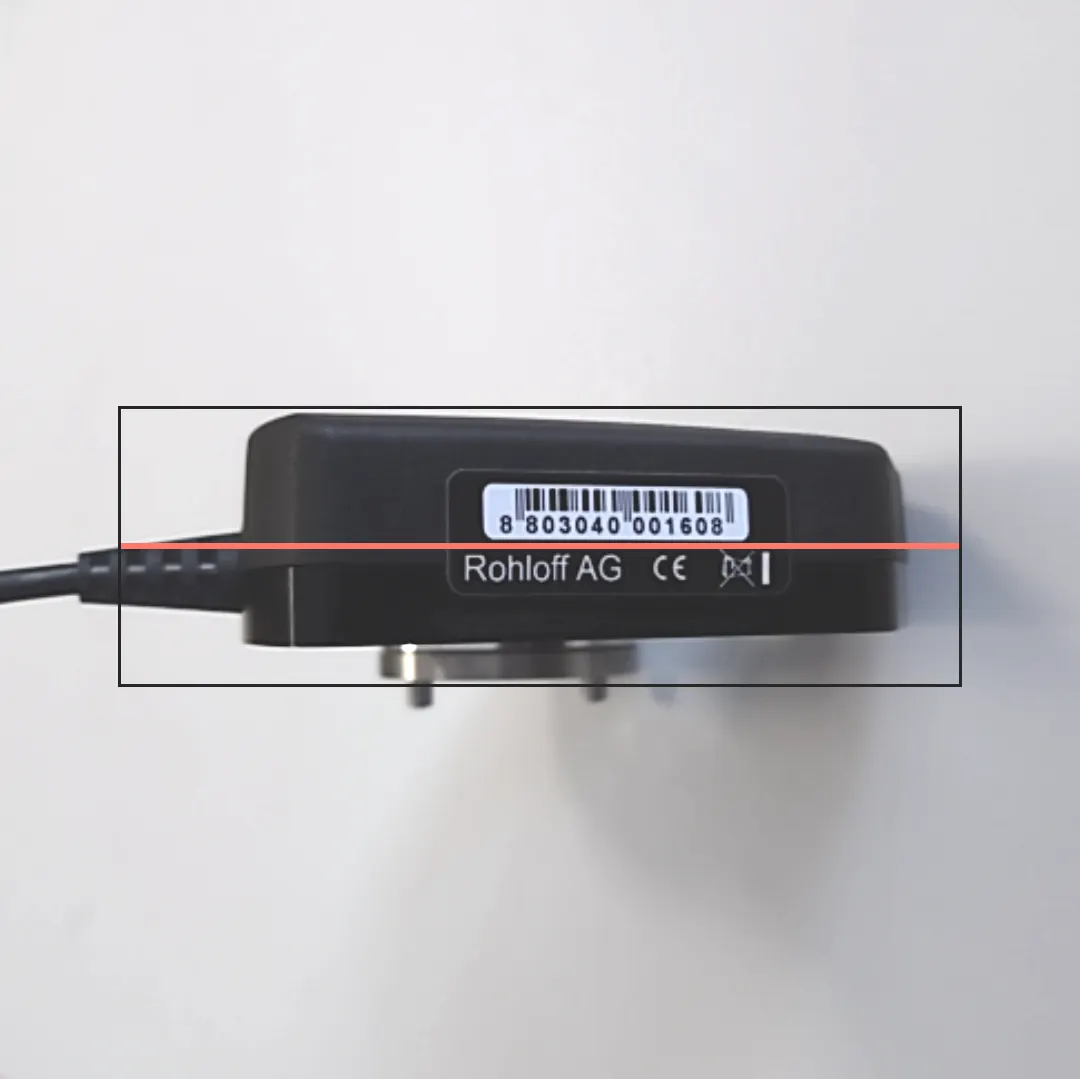
- Choose Scan and read the barcode on the underside of the shift unit (line the camera up with the guides) — or type it in.
- Switch the E-14 (the e-bike) on and choose Connect.
- The shift unit appears as
E14_****— confirm with Pair. All functions are now available.
Unpairing
Section titled “Unpairing”To connect the app to another E-14, unpair it first: in Settings choose Disconnect, then Unpair in the dialog.
Firmware update
Section titled “Firmware update”- In the app’s settings choose Update firmware. The app looks for an update and shows the installed version.
- If there is a newer one, choose Start firmware update and wait for it to finish.
- Never cut the E-14’s power during the update.
- After a successful update, switch the e-bike system off and on again. Reopening Update firmware lets you check the new version.
Install updates soon — the 2.5 series, for example, brought smoother, more reliable shifting and fixed delayed or missed downshifts on pedelecs and S-Pedelecs, in single shifts and Multi-Shift alike.
Releases
Section titled “Releases”The top version is the newest.
| System | Version | Change |
|---|---|---|
| Bosch Smart System | 2.5.2.0 | error 1C7443 no longer appears after the Bosch update |
| Bosch Smart System | 2.5.1.0 | automatic function; optimised shifting |
| Bosch eBike System 2 | 2.4.7.0 | compatible with the new Rohloff Trigger; automatic calibration can also be finished with two buttons |
| Bosch eBike System 2 | 2.4.6.0 | fixes error 596 that appeared now and then; compatible with E-14 V1.1 via bootloader update |
| Panasonic FIT 1.0 | 3.0.1.1 | compatible with E-14 V1.1 via bootloader update |
| Direct Shifting | 2.5.0.0 | first release |
Frequently asked questions
- How do I update the E-14 2.0's firmware?
- In the Rohloff E-14 2.0 app: pair your phone with the shift unit, choose Update firmware in Settings, and if a newer version is available, start it. Never cut the power during the update, then restart the e-bike. The same screen shows the installed version.