
Brose: riding and shifting
With a Brose drive, the Rohloff E-14 2.0 shifts without load: when you press one of the Trigger’s levers, the system briefly backs off the motor assistance, shifts, then restores the assistance. Every gear can be shifted at a standstill too, the E-14 draws its power from the drive battery, and it can be used on S-Pedelecs without restriction.
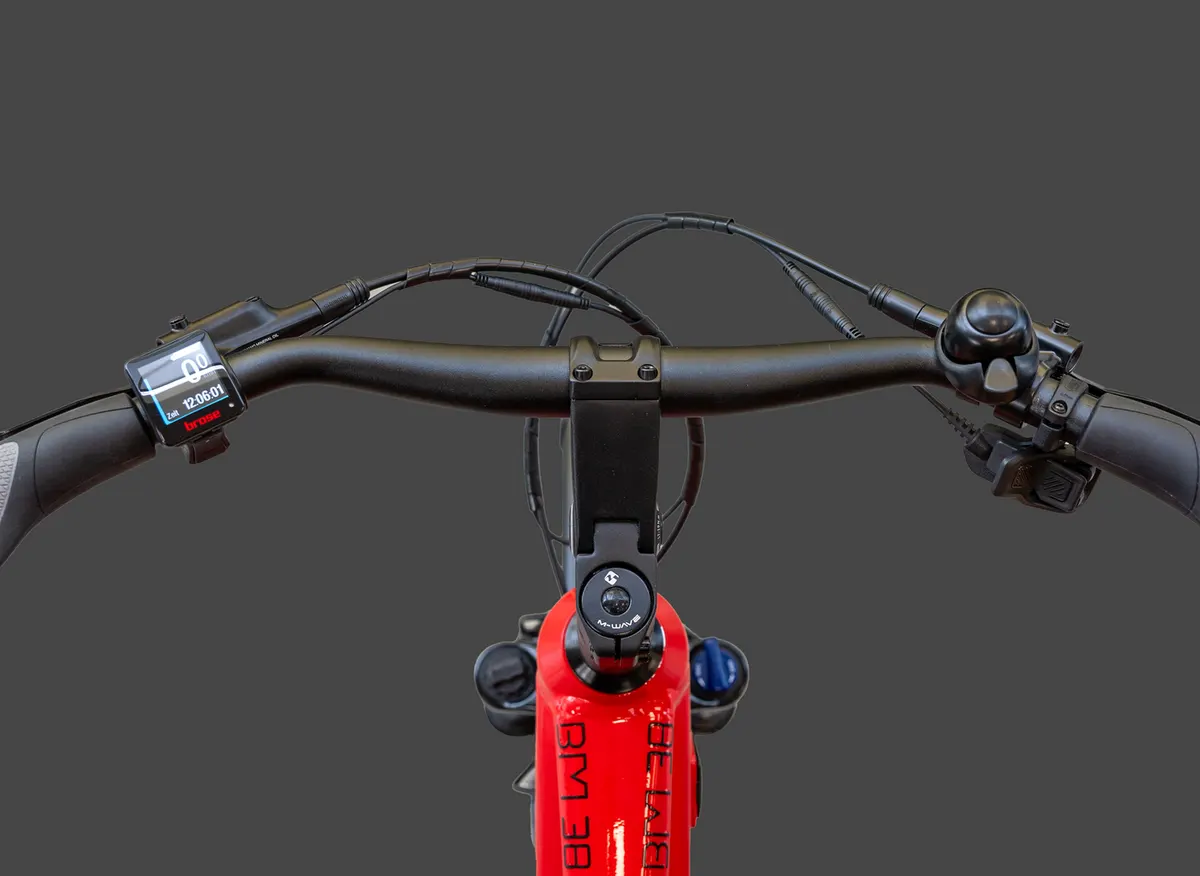
Switching on and gear display
Section titled “Switching on and gear display”You switch the system on with the Brose display’s power button. Because the E-14 is not fully integrated into the Brose system, the current gear is not shown on the Brose display. If you want to see it now and then, the E-14 2.0 app shows it: app and firmware.
Shifting
Section titled “Shifting”Pressing the “+” or “−” lever starts the shift straight away, and it runs by itself:
- the motor assistance is reduced,
- the shift command goes to the shift unit,
- the chosen gear engages quickly and precisely,
- the motor assistance comes back.
The whole thing takes about 0.2 seconds. To keep shifts load-free and smooth, help it along:
- the ideal cadence is 50–80 rpm;
- avoid heavy pedal pressure while shifting — shifting at the dead centre of the pedal stroke is best;
- shift down in good time, for example before a climb.
That also spares the drive components and extends range: fewer charging cycles.
One gear at a time
Section titled “One gear at a time”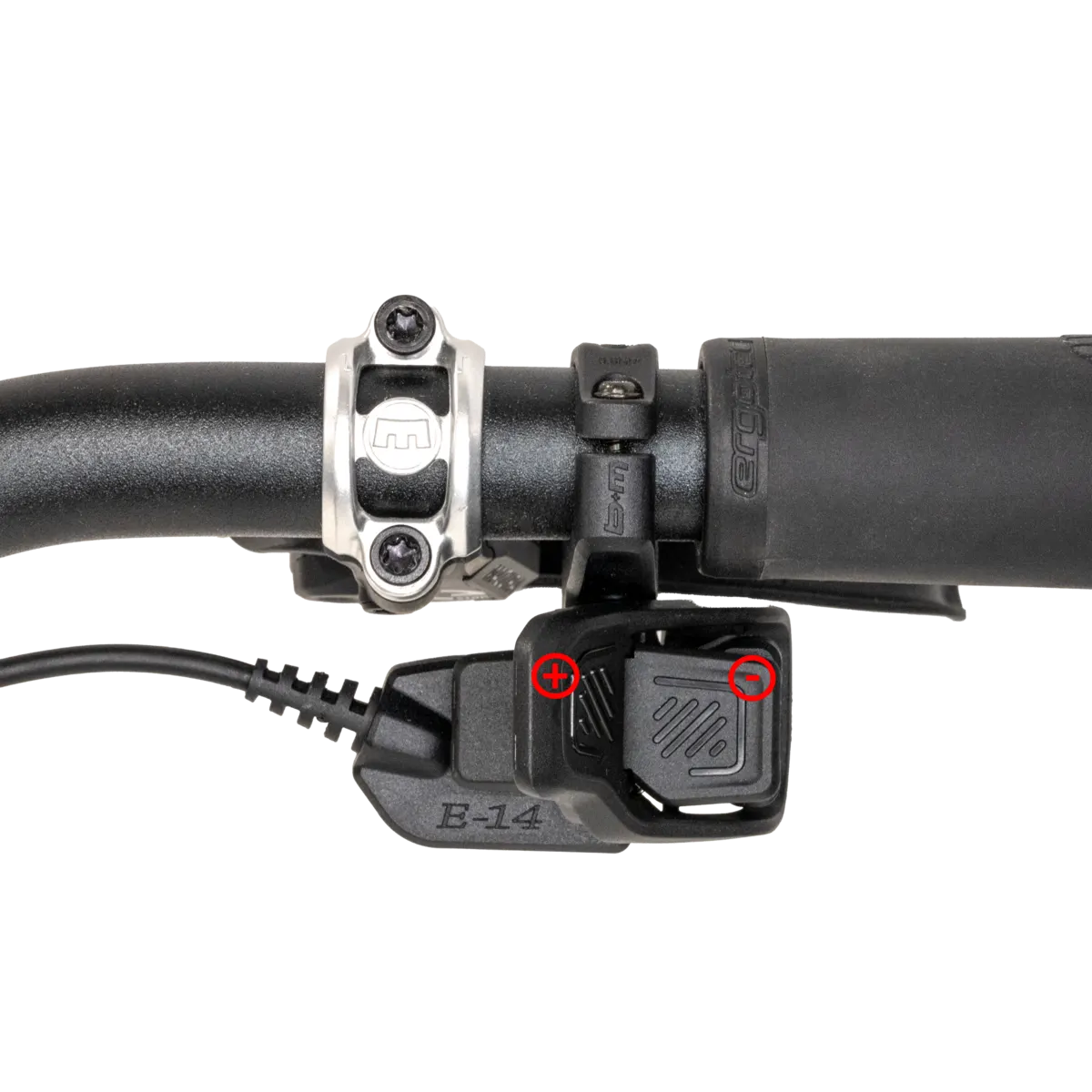
- “+” lever: one gear up, towards 14;
- “−” lever: one gear down, towards 1.
On the first click the shift unit shifts one gear straight away.
Several gears at once (Multishift)
Section titled “Several gears at once (Multishift)”If you hold the “+” or “−” lever down (with Multishift switched on), the E-14 first shifts one gear, then carries on in steps of three (1 + 3 + 3 + 3, or 1 − 3 − 3 − 3), up to gear 14 or down to gear 1. There is a pause of about half a second between the steps of three. You switch Multishift on and off in the E-14 2.0 app: shifting functions.
Reversing the shift direction
Section titled “Reversing the shift direction”The Trigger’s lever assignment (+ / −) can be swapped in the E-14 2.0 app, which reverses the shift direction. Depending on the bike maker, the starting-gear function (Auto-Downshift) may be on or off from the factory. See shifting functions.
The E-14 2.0 app
Section titled “The E-14 2.0 app”The E-14 2.0 app connects to the shift unit via Bluetooth (allow Bluetooth and the requested permissions on your phone). In the app you can:
- switch Multishift on and off,
- reverse the shift direction,
- calibrate the shifting if not every gear engages,
- update the shift unit’s firmware — in expert mode, by arrangement with Rohloff service, alternative firmware can be chosen,
- read the error memory and send a diagnostic report.
To connect the app to a different E-14 2.0 shift unit, disconnect it from the old one first. Details: app and firmware.
Cleaning
Section titled “Cleaning”Before any cleaning, switch the drive off and take the battery out.
- Clean the connectors only when they are plugged together.
- The E-14’s components are waterproof, so riding in the rain is fine — but protect them from heavy dirt.
- Use only gentle cleaning agents, soft brushes or soft cloths. Solvents, pressure washers or steam cleaners can ruin the E-14 beyond repair.
- Do not immerse the components in water.
- Only insert the battery and switch on once the electrical contacts are completely dry.
Power supply and safety
Section titled “Power supply and safety”The E-14 has no battery of its own: it is powered from the drive battery and only works with the drive system switched on. When the battery runs flat, the motor assistance switches off automatically.
- Before any work, switch the drive off and take the battery out of its holder.
- Never open the E-14’s components — that voids the warranty and can damage them.
- A switched-off drive can switch on when you push the bike backwards.
- Never separate or connect a connector with the drive switched on.
For using and caring for the SPEEDHUB, see the SPEEDHUB manual.
Frequently asked questions
- Why can't I see the gear on the Brose display?
- Because the E-14 is not fully integrated into the Brose system, so the display does not receive the gear. If you want to see it now and then, the E-14 2.0 app shows it.