
Maintaining the E-14 2.0 on the Bosch Smart System
The E-14 2.0 is built for a long life and needs very little attention. If something does go wrong, this page helps you find your way.
When there is a fault
Section titled “When there is a fault”When there is a fault, the Bosch system shows an error code on the display. The list of codes: Error codes. Detailed diagnosis is done by a Bosch dealer with the Bosch Diagnostic Tool; on the SPEEDHUB and E-14 side, we help: book an appointment.
The serial number
Section titled “The serial number”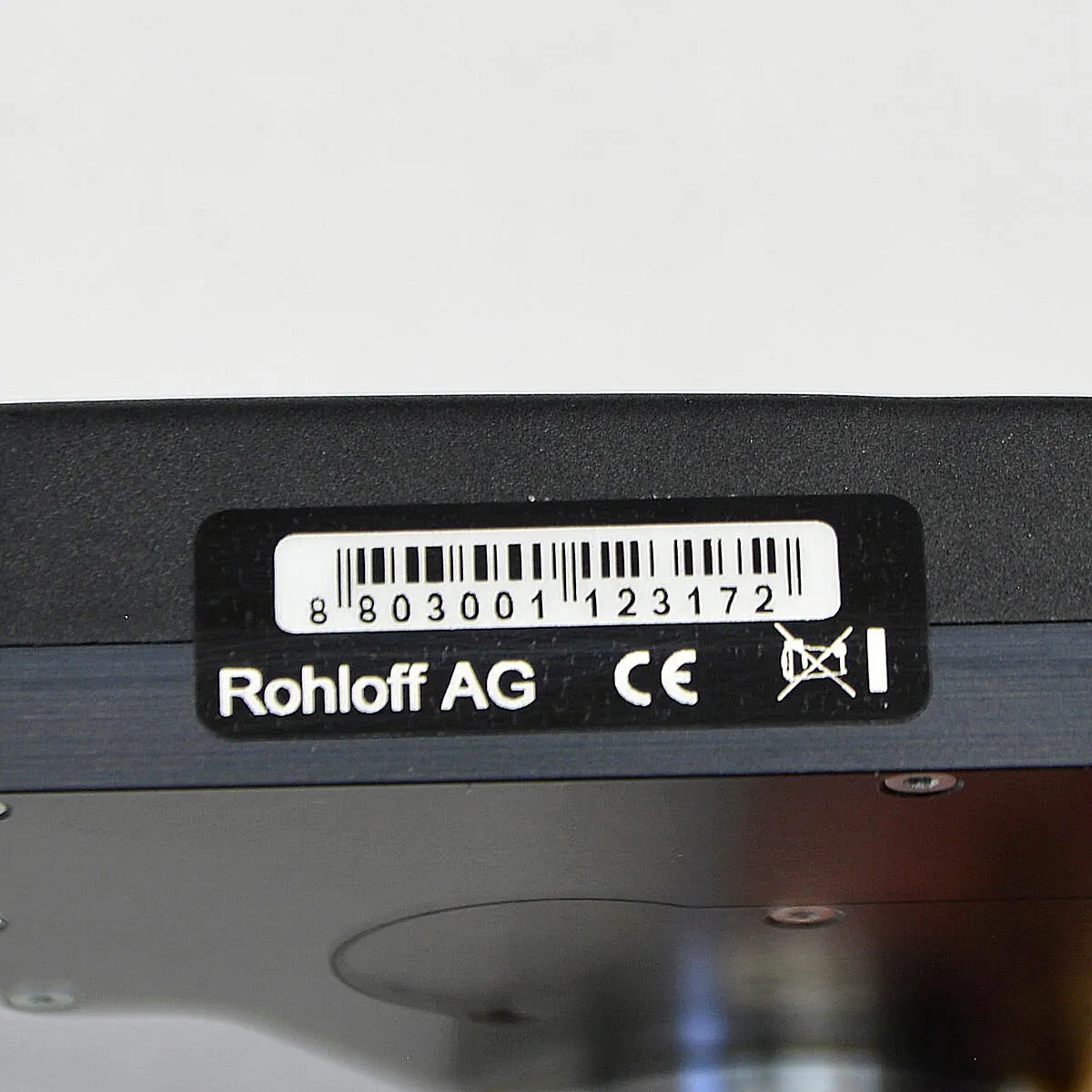
Every E-14 shift unit has its own serial number, on its underside. You may need it for the warranty and future software updates. You can also find it in the Bosch Smart System: Settings → My eBike → eShift.
Software version, app, updates
Section titled “Software version, app, updates”The shift unit’s software version, firmware updates, reading the fault memory and personal settings are all handled by the E-14 2.0 app: App and firmware.
| Firmware (Bosch Smart System) | Change |
|---|---|
| 2.5.2.0 | error message 1C7443 no longer appears after a Bosch update |
| 2.5.1.0 | automatic mode, refined shifting |
Automatic calibration
Section titled “Automatic calibration”If the shift unit does not reach every gear, it needs resynchronising with the SPEEDHUB. Normally this is not needed: shift unit and SPEEDHUB come synchronised. Automatic calibration finds the SPEEDHUB’s two end positions — gear 1 and gear 14 — and saves them. You can start it from the app, or on the handlebar:
-
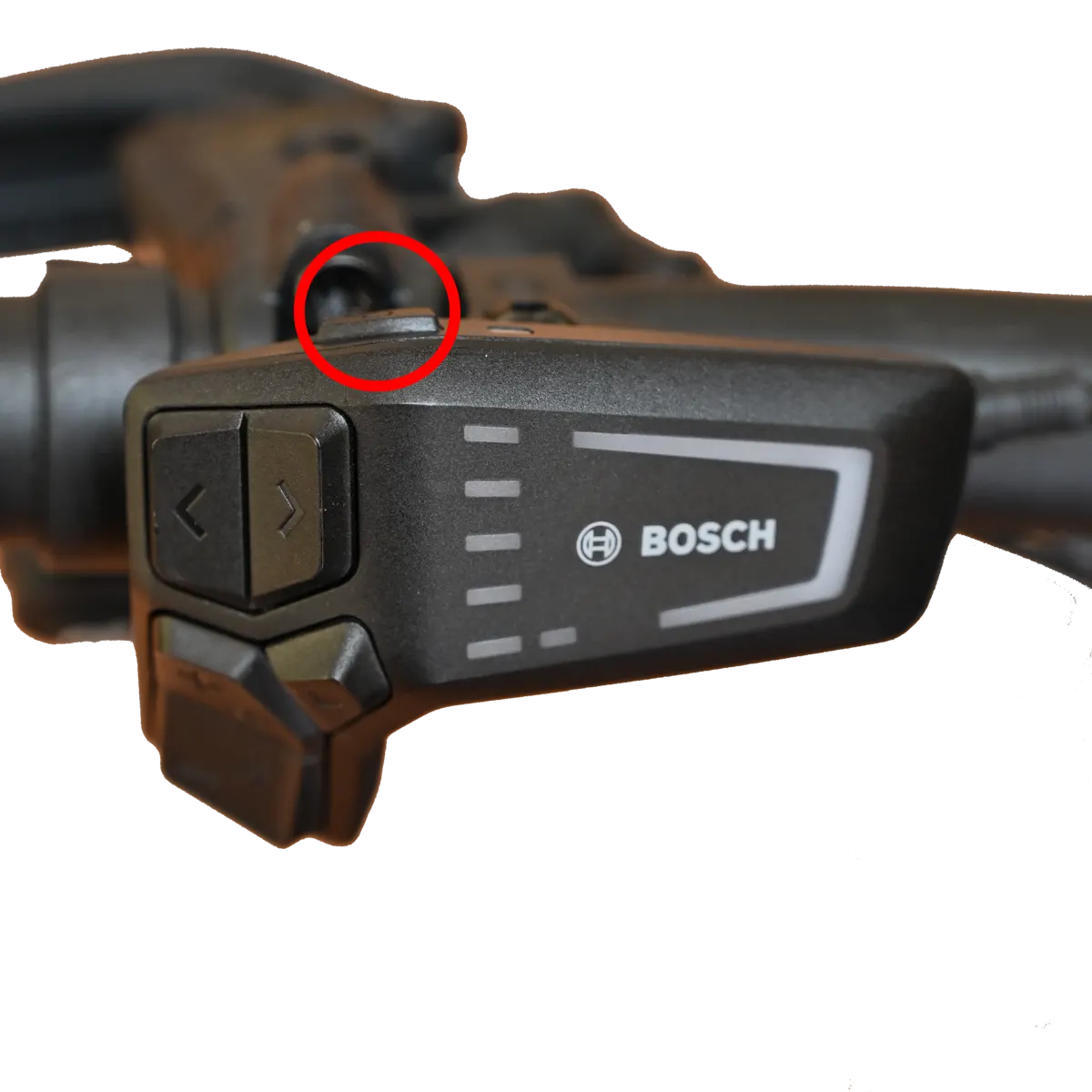
Switch the Bosch system off.
-
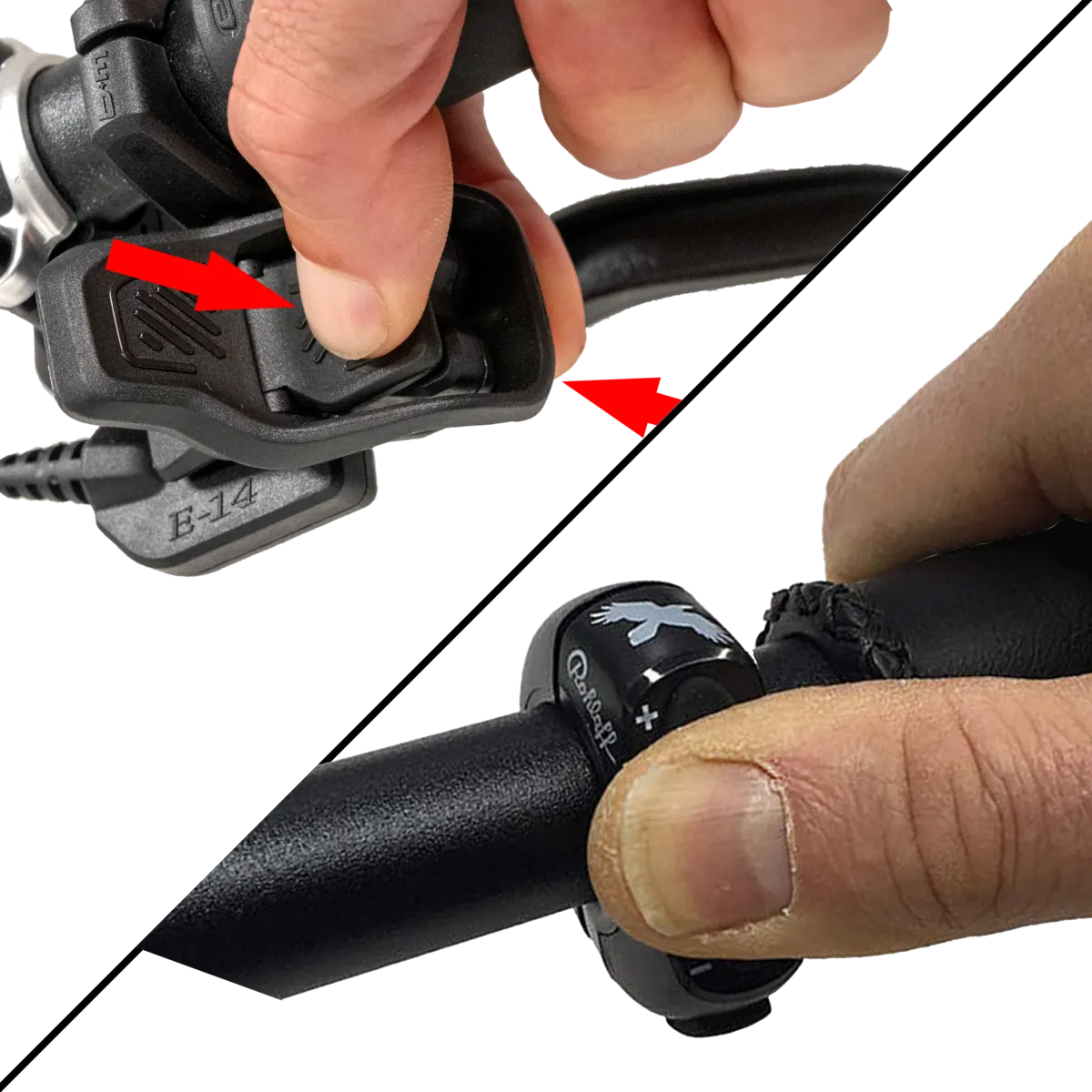
Press and hold both handlebar buttons (+ and –), or both Trigger levers. If one finger is awkward, use two.
-
Switch the system on and keep holding until calibration starts after about 5 seconds — 1C7446 appears on the display and the shift unit starts shifting. Then let go.
-
Wait until the shift unit falls silent. The message 1C7447 and three short beeps mean success; a long beep means it failed.
-
Restart the Bosch Smart System.
If automatic calibration fails repeatedly: Manual calibration.
Diagnostic set
Section titled “Diagnostic set”If there is a technical problem, the E-14 diagnostic set quickly narrows down which part is at fault: Diagnostic set.
Frequently asked questions
- How do I calibrate the E-14 2.0 on the Bosch Smart System?
- With the system off, press and hold both handlebar buttons (or both Trigger levers), switch the system on, and keep holding until calibration starts after about 5 seconds (1C7446). Then let go and wait for it to finish: 1C7447 and three beeps mean success, a long beep means it failed. Finally restart the system.